P&L & analytics
AvailableA real, automatic monthly Profit & Loss — revenue, food cost, labor, expenses, and net profit against your budget targets — without a bookkeeper or a spreadsheet.
What it does
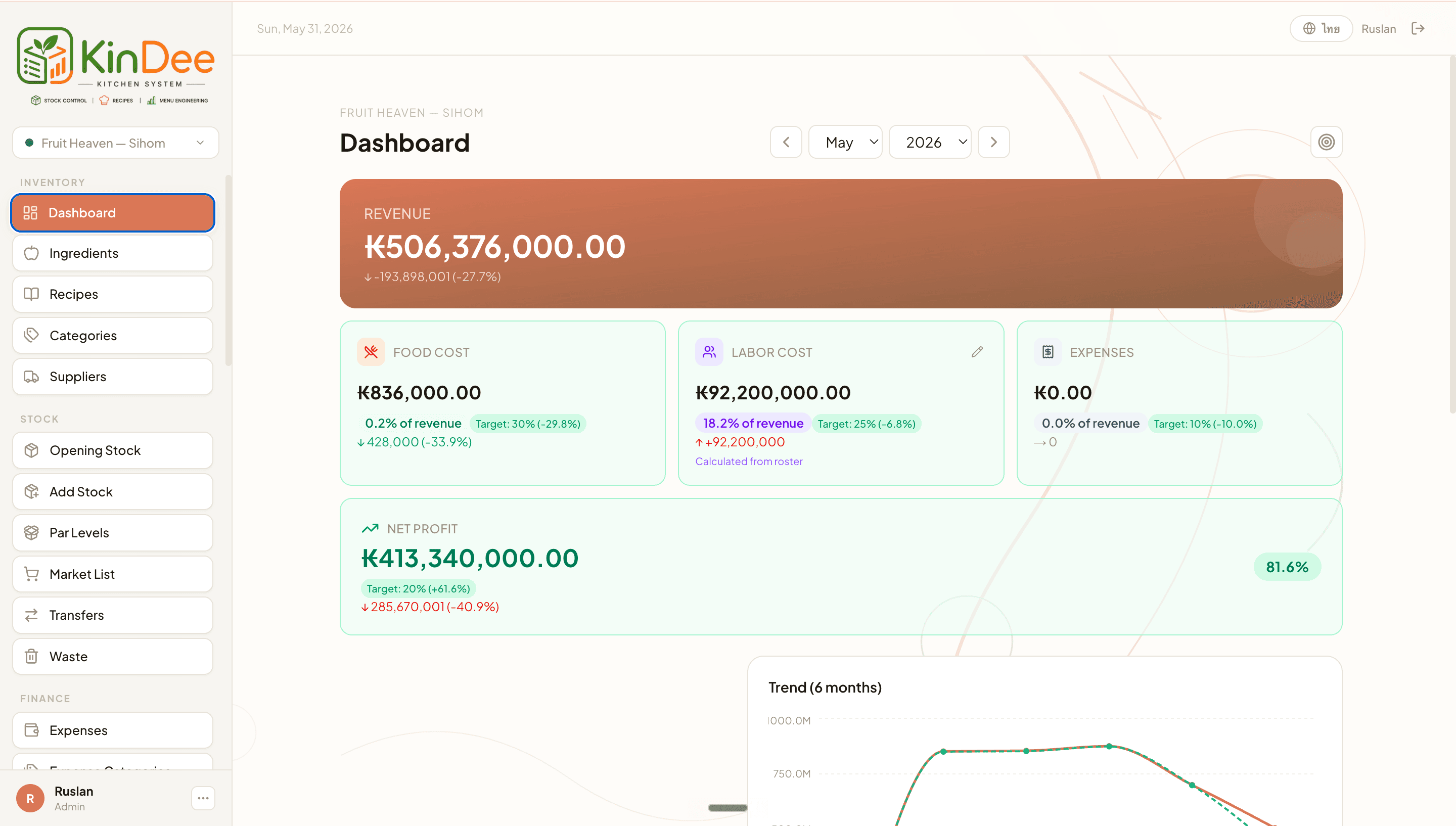
- P&L tab (monthly): Revenue, Food Cost, Labor Cost, Expenses, and Net Profit cards — each as amount + % of revenue, with MoM deltas and color-coded against budget targets.
- Food cost auto-computed from POS sales → recipes (sub-recipe-expanded) × WAC; labor cost from roster + salaries + PH multiplier − LWP (or a manual override with note).
- Sales tab: date-range presets + custom, KPI cards (Gross Sales, Refunds, Discounts, Net Sales, Gross Profit), and a daily sales area chart with period-over-period comparison.
- 12-month trend chart (stacked costs + revenue & net-profit lines), month-comparison table (this month / last month / same month last year), and an expense breakdown by category.
- Operational KPI pills: low-stock count, unmapped POS items, waste this month, and recipe-costed % — visible to all roles at a glance.
Visual walkthrough
Dashboard P&L overview
FAQ
KinDee takes every POS sale for the month, looks up the recipe for each item, expands all sub-recipes, and multiplies ingredient quantities by the WAC at time of sale. The total is your food cost in ₭ and as % of revenue.
Related
Was this helpful?