Urgency timers
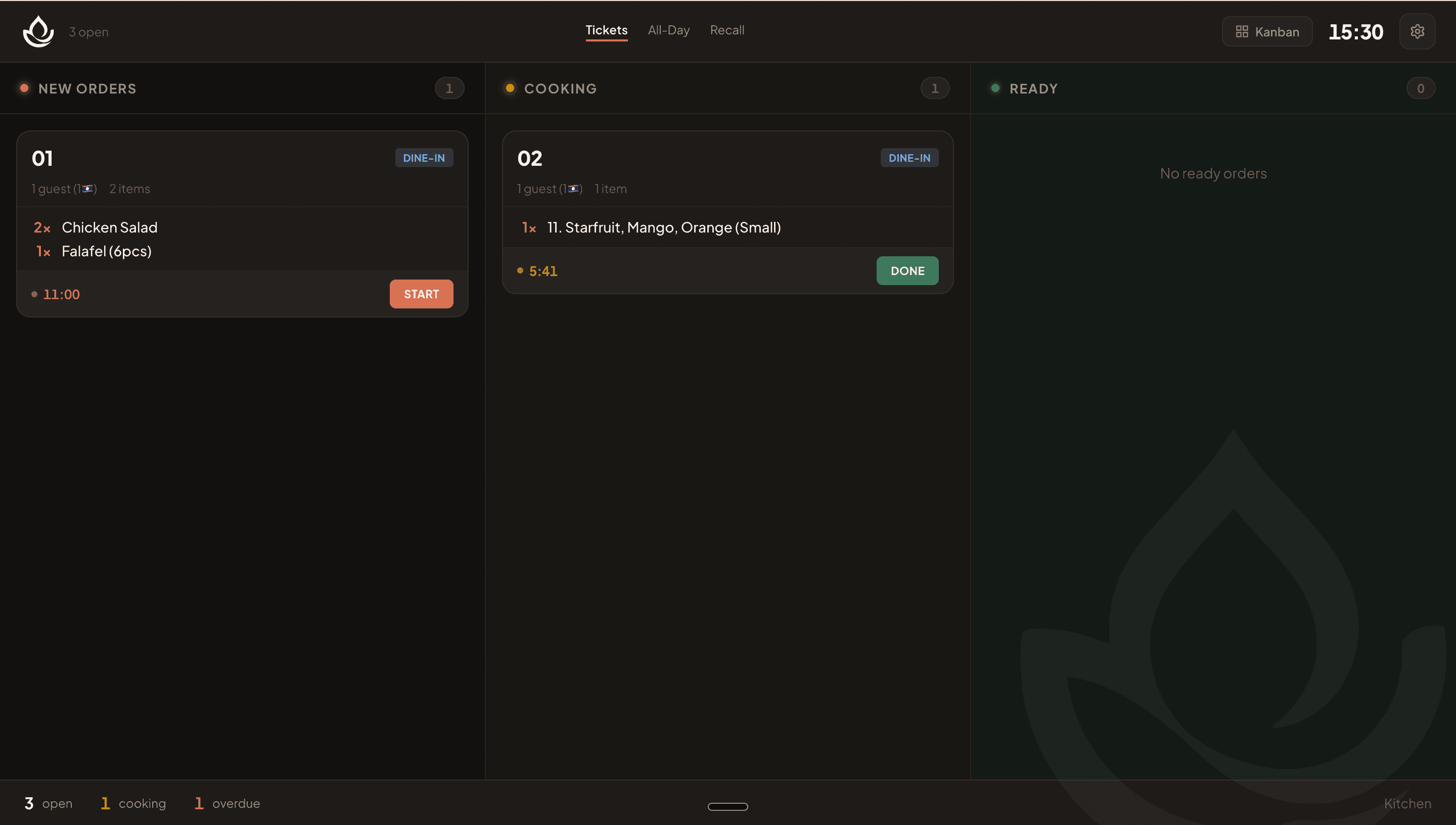
AvailableLive per-ticket countup timers with color-coded urgency tell every cook at a glance which orders are on track and which need immediate attention.
What it does
- Live MM:SS timer starts when a ticket enters the cooking state.
- Color progression: green (under 5 minutes) → yellow (5–9 minutes) → red (10 minutes or more), with a pulsing indicator.
- In Ticket Tape layout, a progress bar shows the ticket's progress toward a 12-minute target.
- Footer counters on every layout display the total number of overdue tickets at a glance.
Visual walkthrough
KDS with urgency timer colors
FAQ
The timer starts when a cook taps Start (moves the ticket from open to preparing). Held tickets do not count against the timer.
Related
Was this helpful?