Ticket flow & states
AvailableReplace paper kitchen dockets with a live screen — every ticket moves through a clear fire → cooking → ready flow, updating the guest display automatically.
What it does
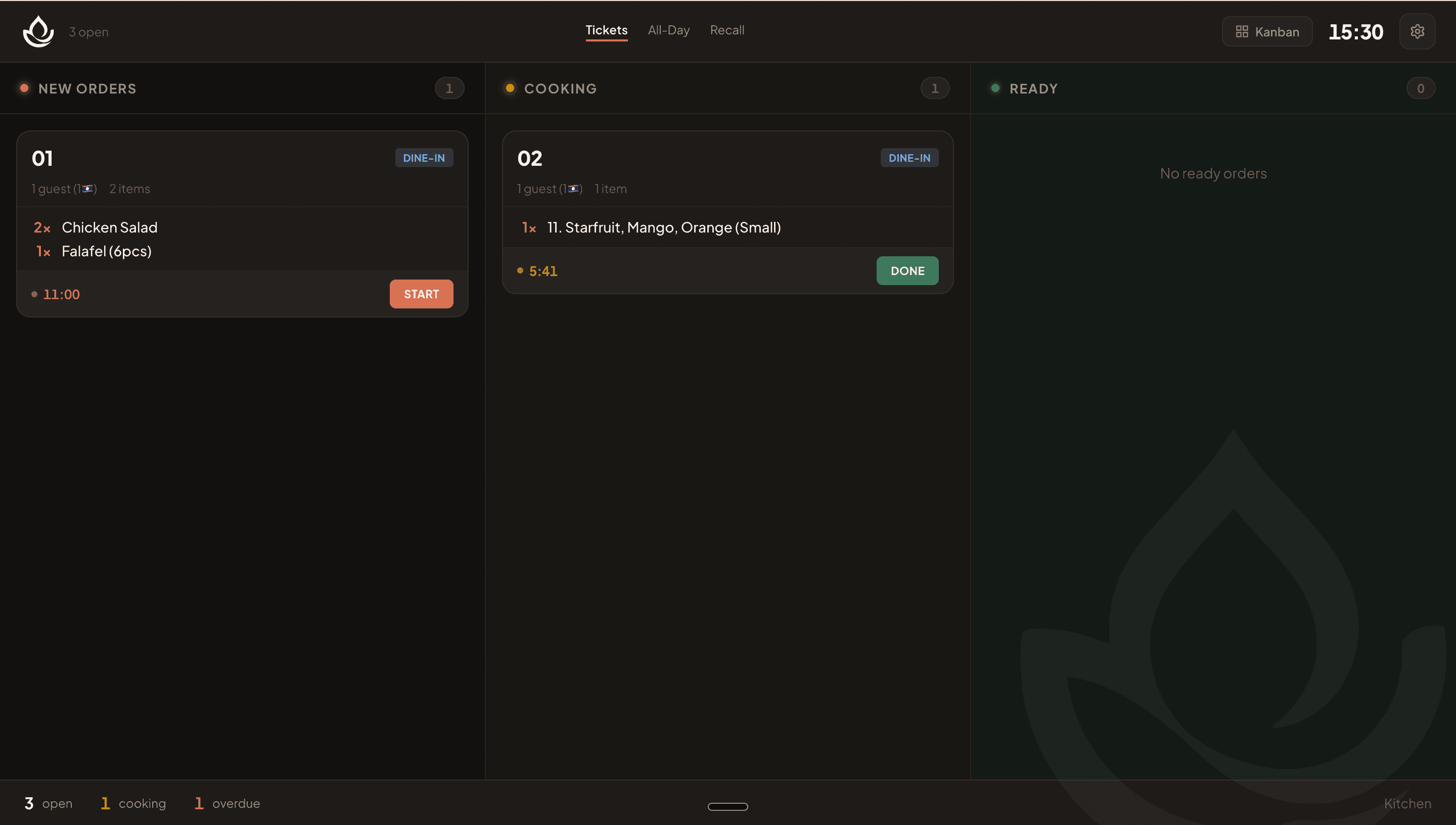
- Four ticket states: held (course not yet fired — dimmed) → open (fired, waiting to start) → preparing (timer running) → ready (bumped and done).
- Station routing: kitchen stations see only their own tickets; the expo screen sees everything.
- Audio cues: a melody plays on each new ticket; a distinct sound fires when a held course is released.
- Transitions drive the guest display automatically — starting cooking sets the order to 'Preparing'; bumping the last ticket sets it to 'Ready'.
- Recall pulls a bumped ticket back to open if a dish was sent too early.
- Optimistic updates with automatic reconciliation on failure, so the screen never freezes.
Visual walkthrough
KDS kanban with ticket states
FAQ
When an order is sent from the POS, KinDee's routing rules match each item's recipe category to a default station. The kitchen station screen only receives the tickets meant for it.
Related
Was this helpful?