Layouts — Kanban, Focus & Tape
AvailableThree display layouts so every station — from a high-volume grill to a single expo screen — can work the way that suits it best.
What it does
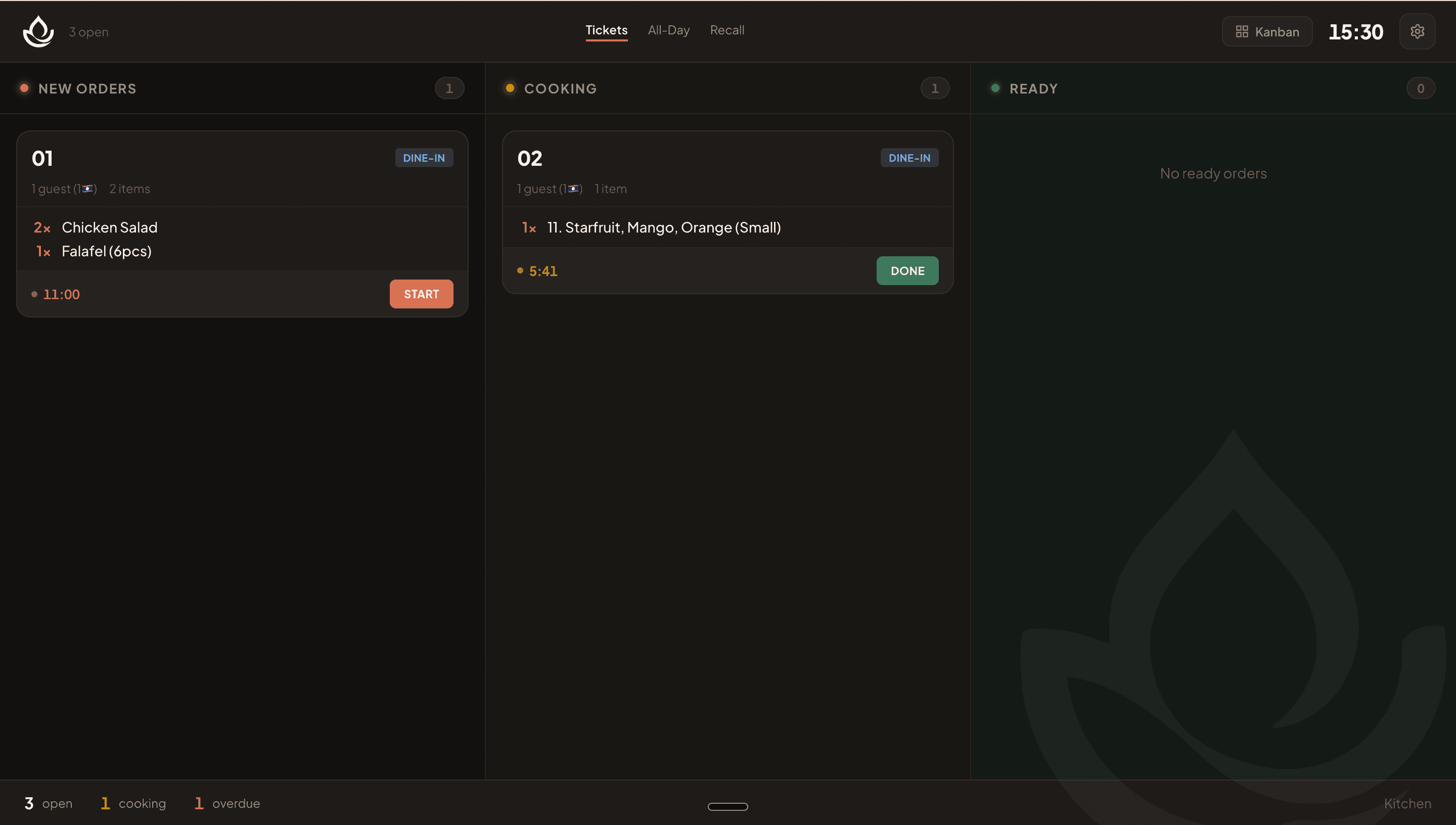
- Kanban Flow — three columns (New Orders / Cooking / Ready) give a complete picture of the entire station's queue at a glance; cards group by order and course.
- Station Focus — a queue sidebar (All / New / Cooking filters) plus a large single-order detail panel where each item can be individually checked off; previous/next navigation steps through orders.
- Ticket Tape — a horizontal 'paper roll' of receipt-style cards with keyboard arrow-key navigation; a progress bar counts toward a 12-minute target.
- Layout choice is remembered per device, so each station stays in its preferred view.
Visual walkthrough
Kanban Flow layout
FAQ
Kanban Flow is ideal because it shows all queued, in-progress, and ready tickets at once, making it easy to see the full workload without navigating.
Related
Was this helpful?