Orders & coursing
AvailableTake an order, group items into courses, fire them to the kitchen, and keep the check accurate from first tap to charge.
What it does
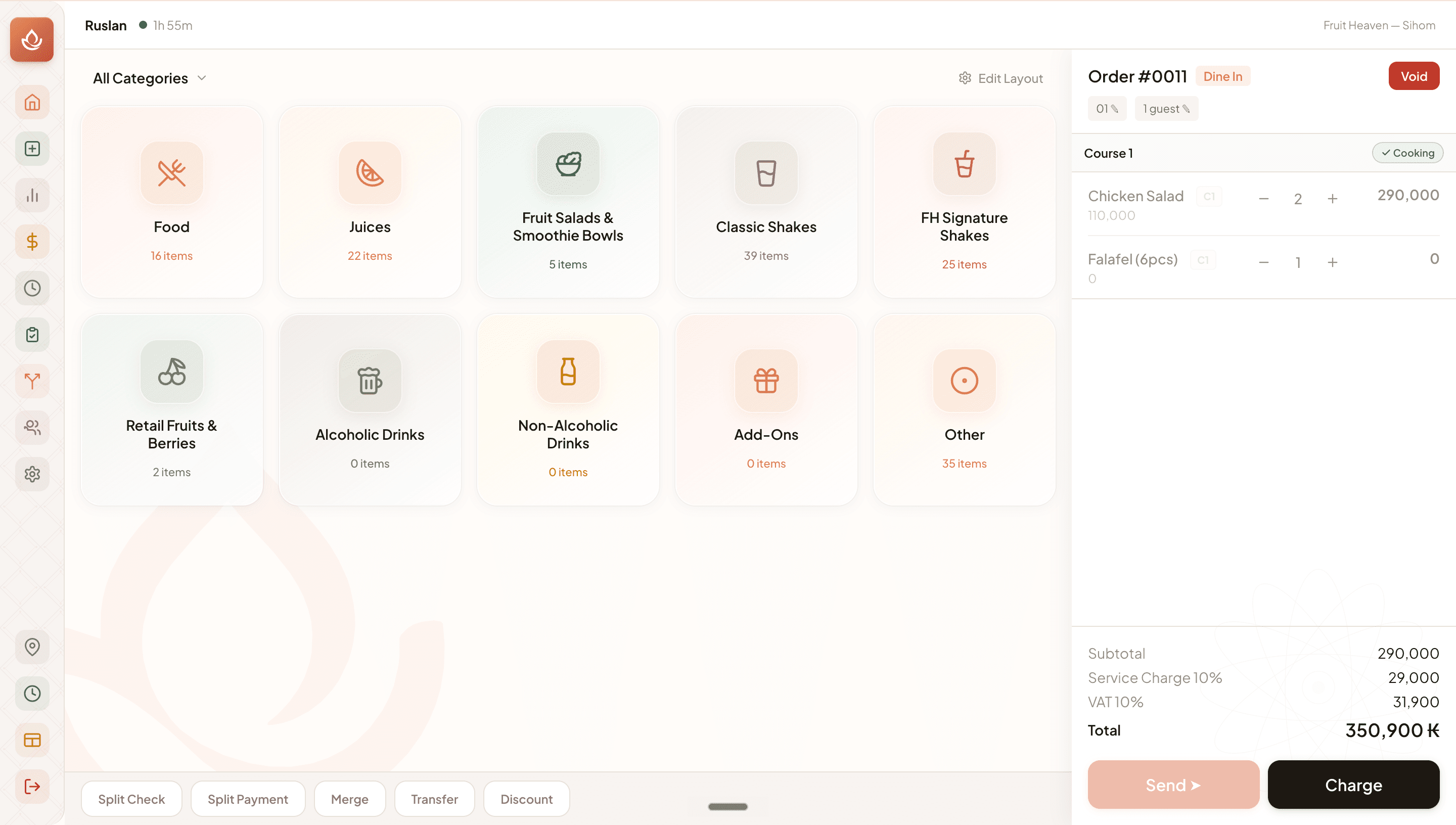
- Start an order from a table or as a quick takeaway, with guest count by type.
- Add items with modifiers, notes and per-line quantity; identical lines merge automatically.
- Group items into courses and Send / Fire them to kitchen stations (or send all at once when coursing is off).
- Split, merge and transfer checks; apply percent/fixed/comp discounts (manager PIN if required).
- Void and refund with reason codes; everything auto-saves and is audit-logged.
Visual walkthrough
The POS order screen
FAQ
Open the order, tap Split Check in the action bar, then tap items into each new check and distribute covers. Each split becomes its own payable check.
Related
Was this helpful?